
Logitech
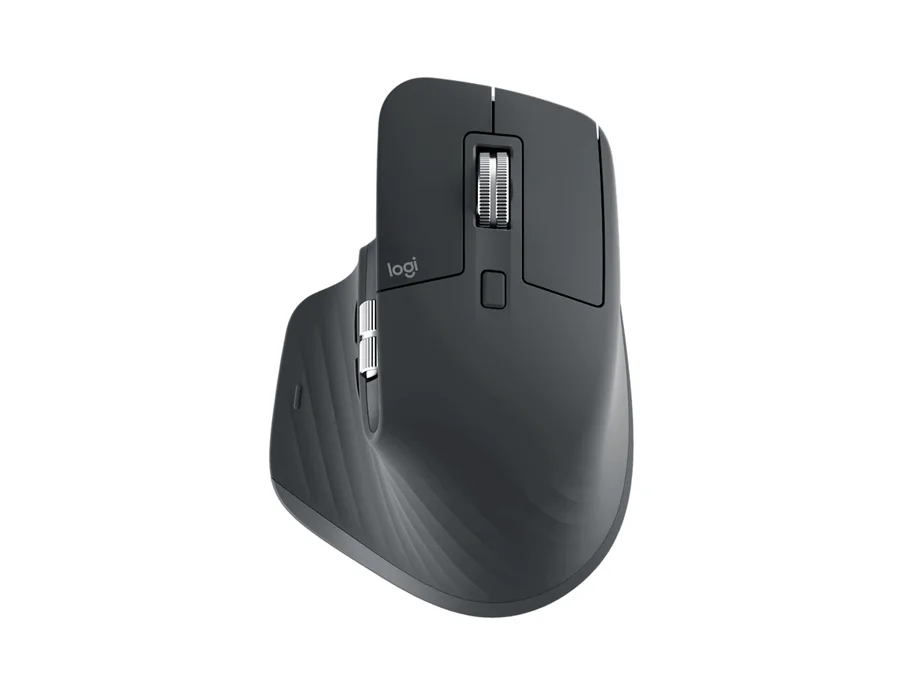
LOGITECH MOUSE MX MASTER 3S GRAPHITE
Performance Wireless Mouse | Graphite | Standard Edition
₹9,028

SKU: LOGITECH-910-007566 · Model: 910-007566
Ask for today's price and availability.
Enter your PIN code to find delivery options and a nearby store.
Logitech MX Master 4 - Pale Gray High-performance Wireless Mouse with haptic feedback Feature: Our most advanced wireless mouse, supercharged Feature: Immerse yourself with the Haptic Sense Panel Feature: Save up to 33% of your time with Actions Ring shortcuts* Feature: Feel precision with native haptics on Windows 11 Feature: Scroll 1,000 lines per second Feature: Track on any surface, even glass* with the 8K DPI sensor Model: MX Master 4 Part number: 910-007566 Color: Pale Gray Sensor Technology: Darkfield high precision Nominal value: 1000 DPI (Minimal and maximal value): 200-8000 (can be set in increments of 50 DPI) Number of Buttons: 8 Gesture button: Yes Scroll Wheel: Yes, MagSpeed wheel with smart shift Horizontal scroll: Yes Thumb wheel: Yes, same as horizontal scroll Customization app: Supported by Logi Options+ App for recent versions of Windows and macOS, basic feature support for Googlebook laptops. Basic support in Logi Tune. (Basic customization support is available with Options+ App on Googlebook laptops. Advanced features such as the Haptics feedback, Actions Ring, Marketplace, Smart Actions, Flow are working only on recent versions of Windows and macOS.) Haptic feedback is supported for key Options+ features like Actions Ring, Smart : Adobe Photoshop, Adobe Lightroom Desktop, Zoom. Coming in October: Adobe Premiere Pro. Battery type: Rechargeable 650 mAh Battery life: 70 days Connection Type: Wireless Wireless technology: Bluetooth Low Energy Wireless range: 10 m Bluetooth Low Energy (BLE): 5.1 Bluetooth: Required: Bluetooth Low Energy, Windows 11 or later*, macOS 13 or later*, Linux**, ChromeOS and Googlebook**, iPadOS 15 or later**, Android 12 or later**. (*Customize device by installing the Logi Options+ App available for recent versions of Windows and macOS at app.logi.com, **Device basic functions will be supported without software for other systems than Windows and macOS) Logi Bolt USB receiver: Required: USB-C Port, USB-A Port, Windows 10, 11 or later*, macOS 13 or later*, Linux**, ChromeOS and Googlebook**. (*Customize device by installing the Logi Options+ App available for recent versions of Windows and macOS at app.logi.com, **Device basic functions will be supported without software for other systems than Windows and macOS) Compatibility: Compatible with both USB-C and USB-A receivers. Dimensions / MX Master 4 Mouse / Height: 128.15 mm Dimensions / MX Master 4 Mouse / Width: 88.35 mm Dimensions / MX Master 4 Mouse / Depth: 50.8 mm Dimensions / MX Master 4 Mouse / Weight: 150 g
| Color | Pale Gray |
|---|---|
| Model | MX Master 4 |
| Bluetooth | Required: Bluetooth Low Energy, Windows 11 or later*, macOS 13 or later*, Linux**, ChromeOS and Googlebook**, iPadOS 15 or later**, Android 12 or later**. (*Customize device by installing the Logi Options+ App available for recent versions of Windows and macOS at app.logi.com, **Device basic functions will be supported without software for other systems than Windows and macOS) |
| Part number | 910-007566 |
| Thumb wheel | Yes, same as horizontal scroll |
| Battery life | 70 days |
| Battery type | Rechargeable 650 mAh |
| Scroll Wheel | Yes, MagSpeed wheel with smart shift |
| Compatibility | Compatible with both USB-C and USB-A receivers. |
| Nominal value | 1000 |
| Gesture button | Yes |
| Wireless range | 10 m |
| Connection Type | Wireless |
| Customization app | Supported by Logi Options+ App for recent versions of Windows and macOS, basic feature support for Googlebook laptops. Basic support in Logi Tune. (Basic customization support is available with Options+ App on Googlebook laptops. Advanced features such as the Haptics feedback, Actions Ring, Marketplace, Smart Actions, Flow are working only on recent versions of Windows and macOS.) |
| Horizontal scroll | Yes |
| Number of Buttons | 8 |
| Sensor Technology | Darkfield high precision |
| Wireless technology | Bluetooth Low Energy |
| Logi Bolt USB receiver | Required: USB-C Port, USB-A Port, Windows 10, 11 or later*, macOS 13 or later*, Linux**, ChromeOS and Googlebook**. (*Customize device by installing the Logi Options+ App available for recent versions of Windows and macOS at app.logi.com, **Device basic functions will be supported without software for other systems than Windows and macOS) |
| Bluetooth Low Energy (BLE) | 5.1 |
| DPI (Minimal and maximal value) | 200-8000 (can be set in increments of 50 DPI) |
| Dimensions / MX Master 4 Mouse / Depth | 50.8 mm |
| Dimensions / MX Master 4 Mouse / Width | 88.35 mm |
| Dimensions / MX Master 4 Mouse / Height | 128.15 mm |
| Dimensions / MX Master 4 Mouse / Weight | 150 g |
| Haptic feedback is supported for key Options+ features like Actions Ring, Smart | Adobe Photoshop, Adobe Lightroom Desktop, Zoom. Coming in October: Adobe Premiere Pro. |
Mouse; USB-C Bolt receiver; User documentation
1-Year Limited Hardware Warranty
Performance Wireless Mouse | Graphite | Standard Edition
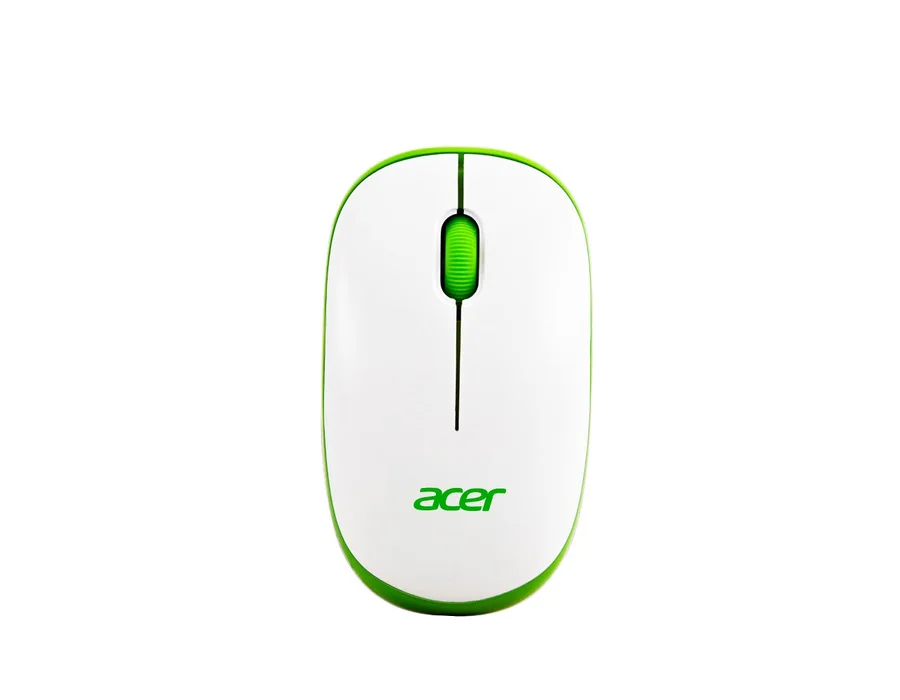
1600 DPI Sensor | Fast Scroll Wireless Mouse | 10 m Working Distance | Equipped with 2.4 GHz Frequency
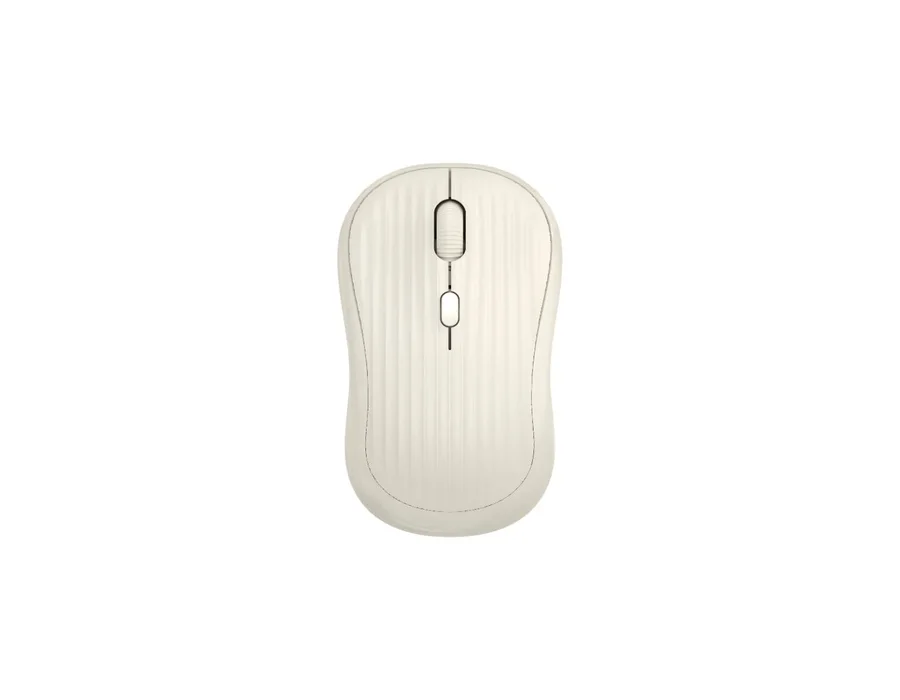
BLUETOOTH + 2.4GHz DUAL-MODE WIRELESS: Enjoy flexible wireless connectivity with both Bluetooth and 2.4GHz modes. Simply plug the included USB receiver into your device for automatic 2.4GHz connection or pair the mouse through Bluetooth, then conveniently switch between the two modes using the dedicated mode key. | 3-LEVEL ADJUSTABLE 800/1200/1600 DPI: Switch between 800, 1200 and 1600 DPI sensitivity levels using the dedicated DPI adjustment button to suit different tasks. Choose greater contro
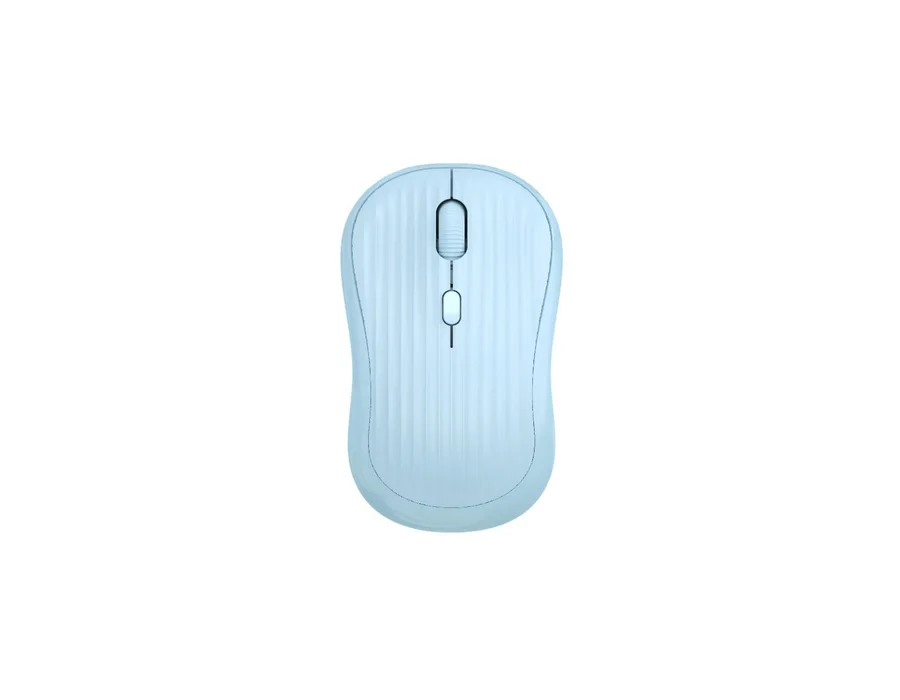
BLUETOOTH + 2.4GHz DUAL-MODE WIRELESS: Enjoy flexible wireless connectivity with both Bluetooth and 2.4GHz modes. Simply plug the included USB receiver into your device for automatic 2.4GHz connection or pair the mouse through Bluetooth, then conveniently switch between the two modes using the dedicated mode key. | 3-LEVEL ADJUSTABLE 800/1200/1600 DPI: Switch between 800, 1200 and 1600 DPI sensitivity levels using the dedicated DPI adjustment button to suit different tasks. Choose greater contro


